
Kitchen Display System
Orders from every channel on a kitchen screen, in the order they are due and colour-coded by urgency. No paper, no shouting across the pass, no missed items.
- No contract
- Free setup
- 24/7 support
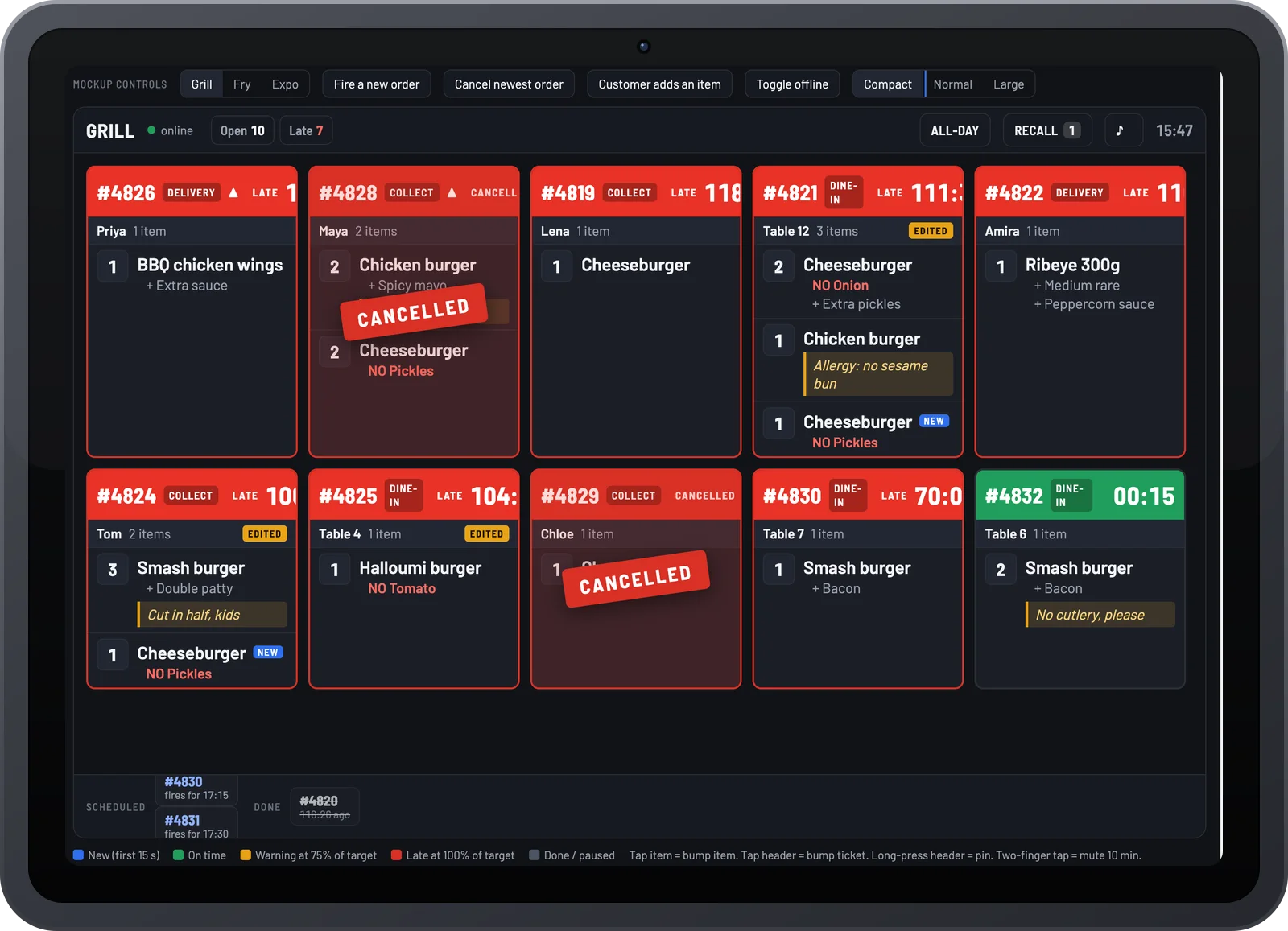
No paper, no shouting, no missed items
Every order on a screen at the pass, in the order it is due, coloured by how long it has been waiting.

Built for the heat of service
Large tiles, clear modifiers, big bump buttons. Runs on any Android tablet or display.

Station views
Prep, grill and pass each see only their items. Every station works its own list.

Colour by elapsed time
Green, amber, red as the minutes pass. The pass sees what is late before anyone asks.

Course firing and hold
Fire starters, hold mains, release when the table is ready. Nothing goes cold on the pass.

Every channel, nothing re-typed
Website, app, QR, kiosk, waitress app and EPOS orders arrive automatically.

Ticket times, tracked
Average and longest ticket time per hour, per station and per item, in the same report as sales.
What changes with Kitchen Display System
Orders fall behind the pass or fade.
The kitchen checks three printers.
Slow nights and fast nights look the same.
Kitchen Display System, in detail
Built for the heat of service
Large tiles, clear modifiers, colour by elapsed time. Bump when done, recall if needed. Runs on any Android tablet or screen.
- Any Android tablet or display
- Colour-coded urgency
- Recall and reprint
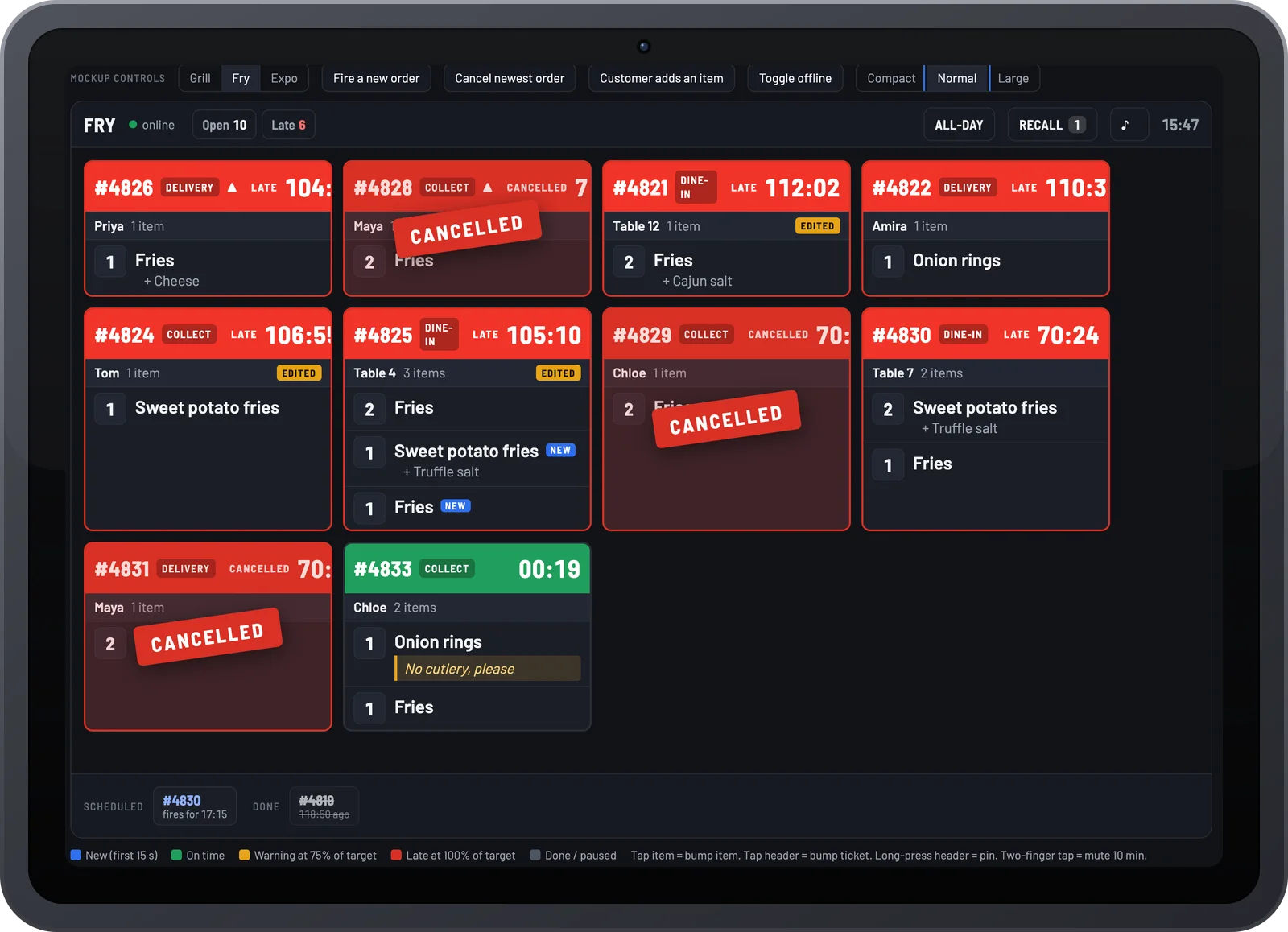
Station and course views
Split tickets by prep, grill and pass, and fire courses in order. Every station sees only what it needs.
- Per-station screens
- Course firing and hold
- Ready alerts to servers and customers
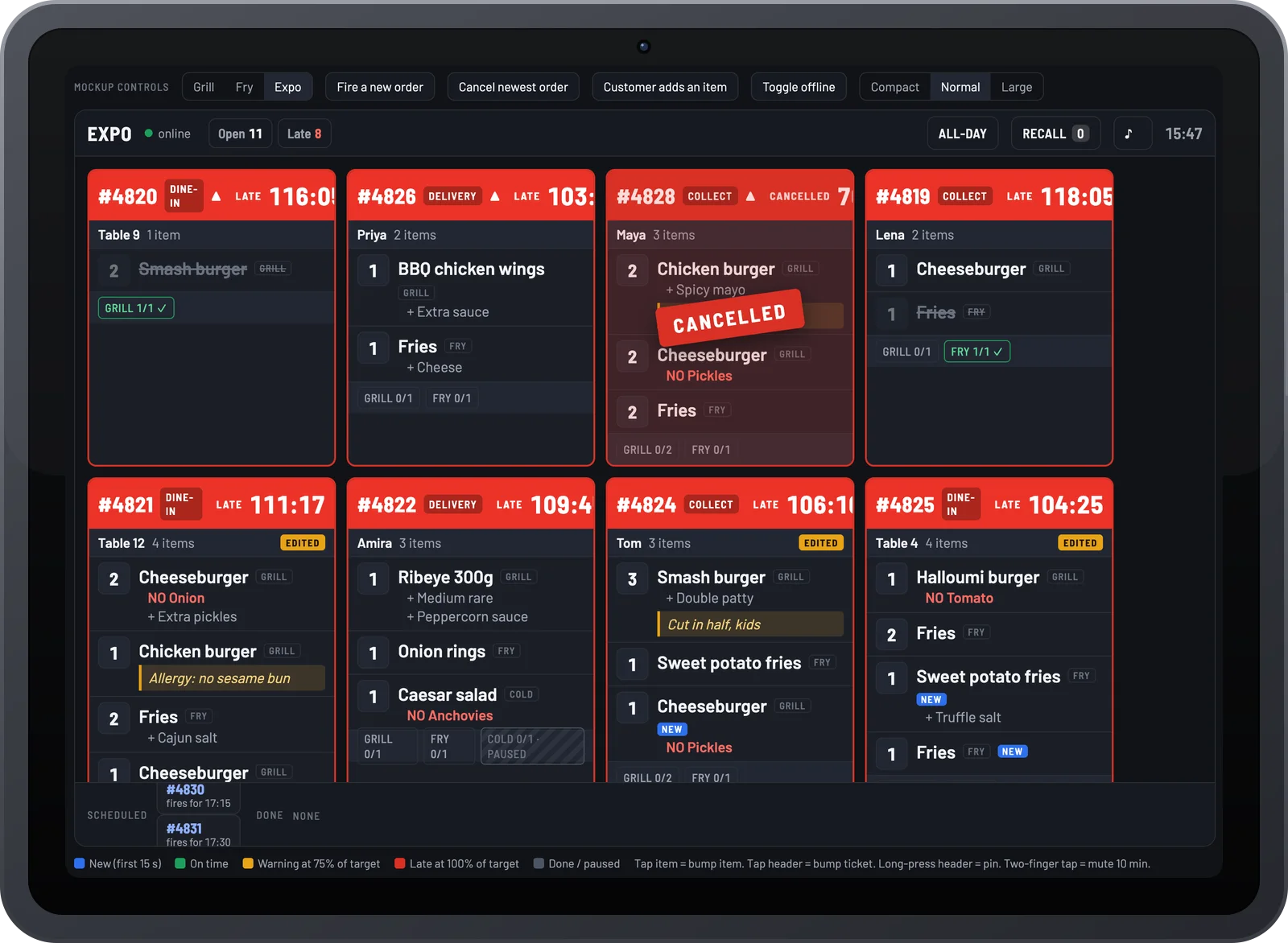
Synced with every order source
Website, app, QR, kiosk, waitress app and EPOS orders arrive automatically. Nothing is re-typed.
- Works with the Order Manager App and EPOS
- Prep time feeds customer tracking
- Average ticket time in reports

Per location add-on, or part of the Online Ordering + EPOS bundle.
Part of one platform
Every Order Tiger product shares one menu, one customer list and one report.
What owners say after switching
Customers love ordering from our own app. We've noticed they're placing orders up to 3 times more often compared to those who order by calling us or walk-ins.

Our journey with Order Tiger has been nothing short of incredible. In just 5 months, it has accounted for a staggering 40% of our total sales.

Order Tiger increased our direct online sales by more than double through delivery from third-party fleet and have saved us a lot of money.

Frequently asked questions
Do I need special hardware to run the KDS?
No. Any tablet or screen with internet access works. We’ll recommend affordable options during setup.
Can the KDS integrate with my online ordering and EPOS?
Yes! Orders from your website, app, QR table ordering, and POS all flow directly into the kitchen screen.
What happens if my internet goes down?
Orders are cached locally so your kitchen can continue working. Once the connection is back, everything syncs automatically.
Is the system easy for my staff to learn?
Absolutely. The KDS is designed with simplicity in mind – if your staff can use a smartphone, they can use Order Tiger KDS.
How will this improve my customer experience?
Faster, more accurate orders mean customers get their food on time and exactly as requested – leading to better reviews and repeat visits.
See Kitchen Display System running on your own menu
Book a 15-minute demo. No pressure, no contract.