
Order Ready Screen
A customer-facing screen at the counter that shows who is being prepared and who is now serving. Customers see their name move across the board, so nobody crowds the till asking if their order is ready.
- No contract
- Free setup
- 24/7 support
What is Order Tiger’s Order Ready Screen?
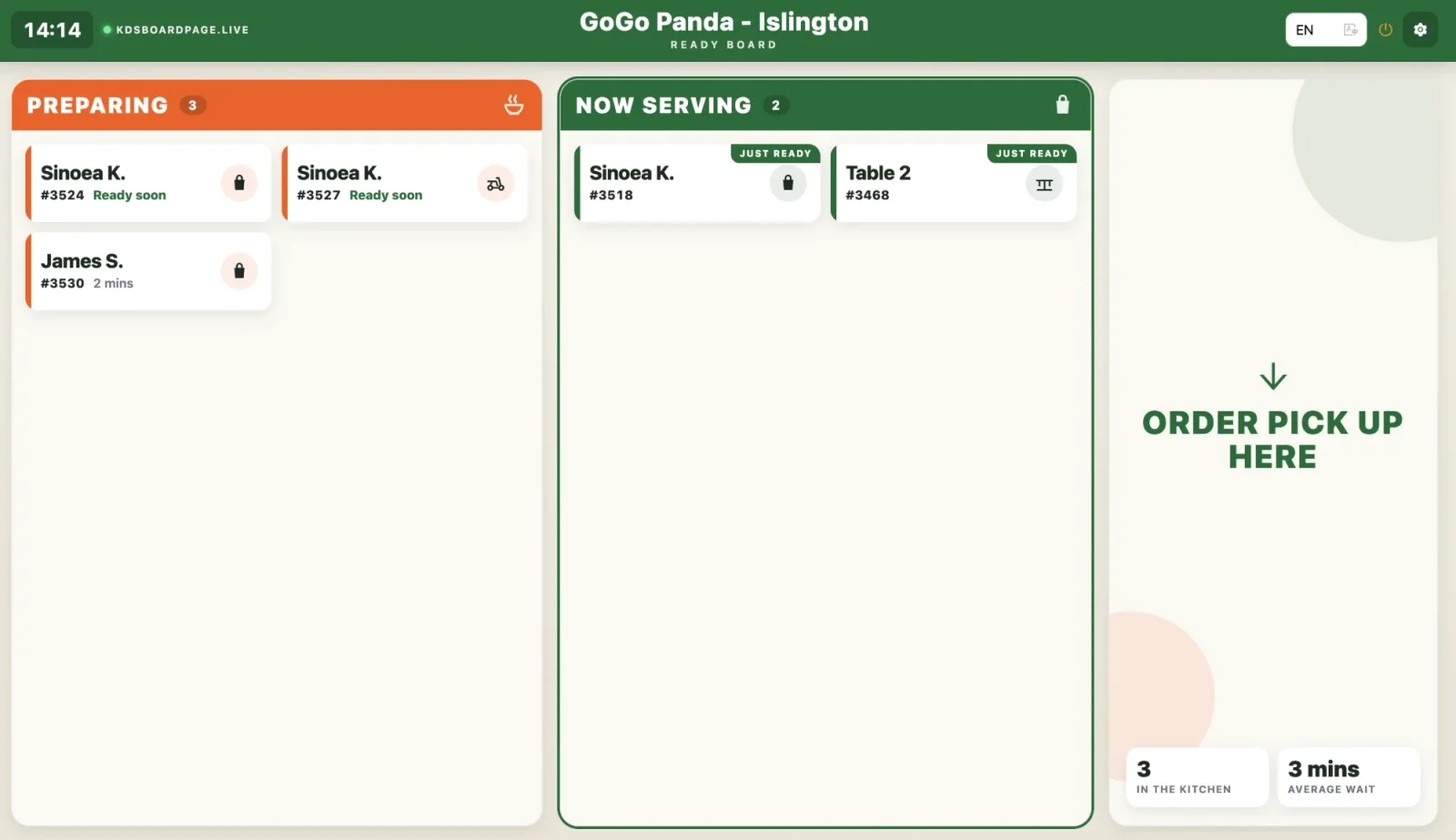
Order Tiger’s Order Ready Screen is a customer-facing board at the restaurant counter that shows which orders are Preparing and which are Now Serving. Bumping a ticket on the Kitchen Display System moves the customer’s name to Now Serving with a chime. The board runs in a browser on any TV, monitor or tablet, showing the restaurant’s name, colours and pick-up message.
- The Order Ready Screen is included with Order Tiger’s Kitchen Display System, per location.
- The Order Ready Screen shows only first name and initial or table number, plus order number.
- The board shows orders in the kitchen and the average wait, updated every minute.
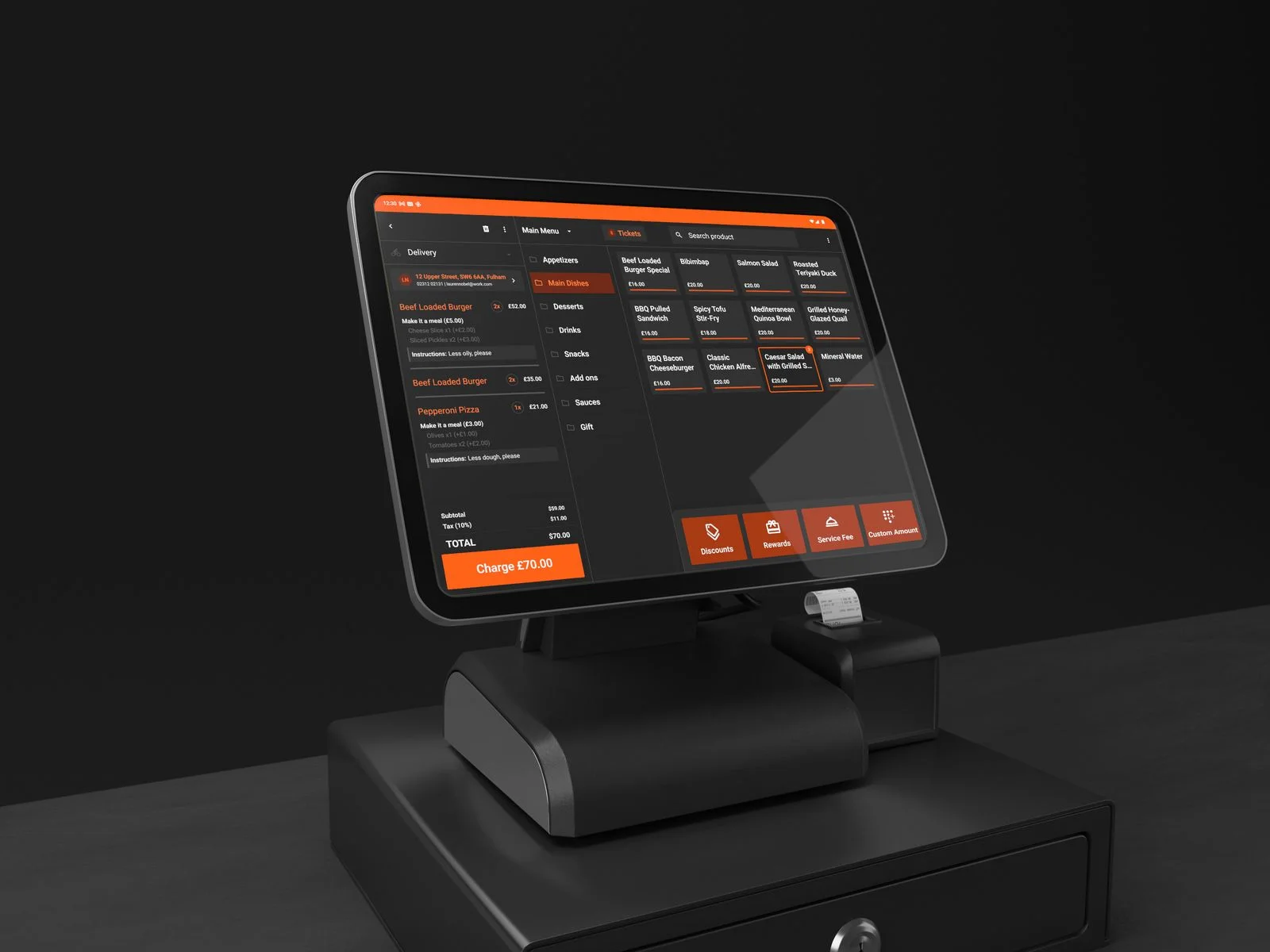
- Without a kitchen screen, staff mark orders ready in the Order Manager App or EPOS.
Customers see their order move, without asking
Every order on the kitchen screen appears on the board as Preparing. The moment it is bumped, the name jumps to Now Serving with a chime.

Preparing and Now Serving
Two clear columns. Names and order numbers, never the ticket details, so the board is readable from across the room.

Driven by the kitchen
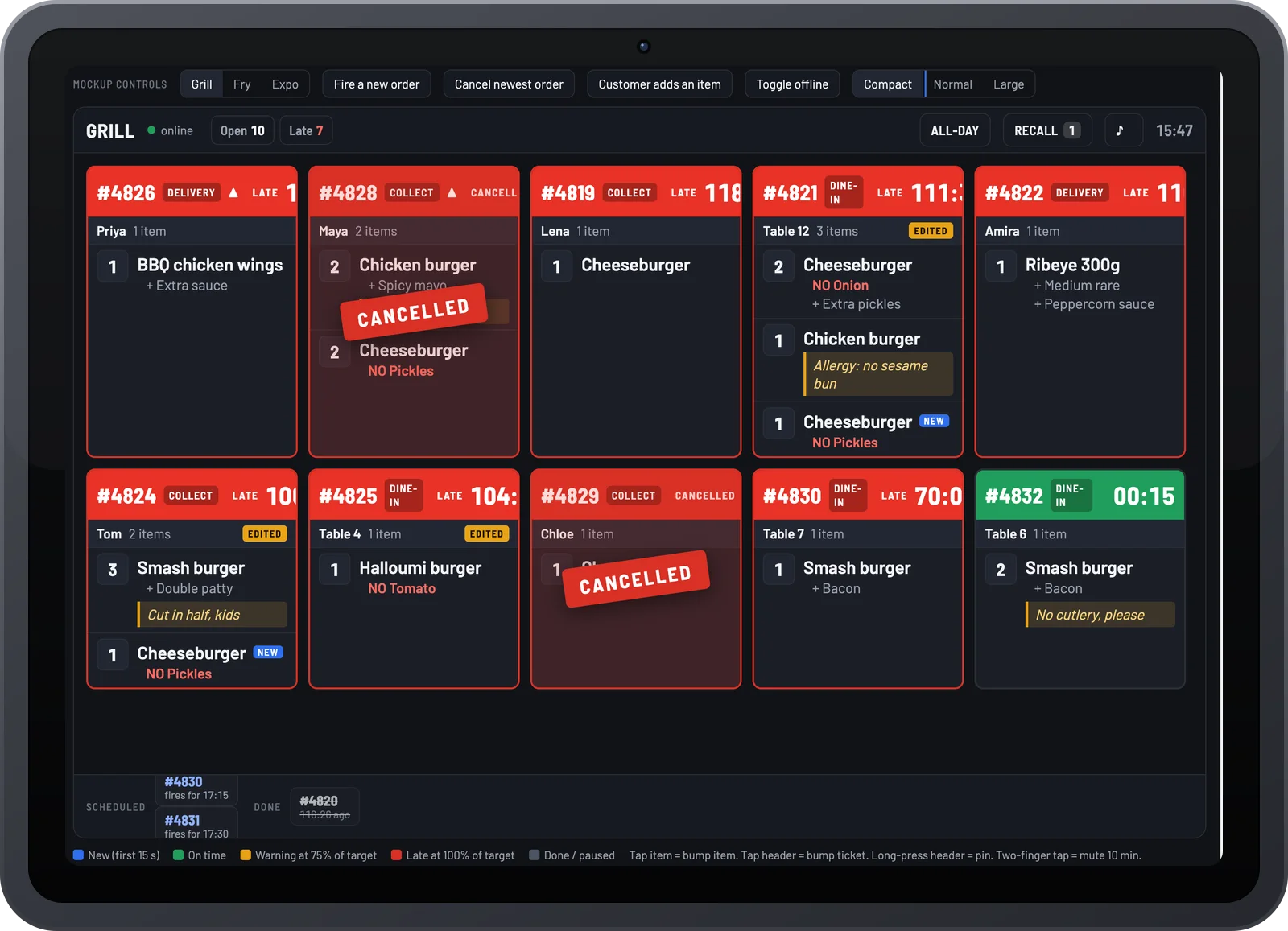
Bumping a ticket on the Kitchen Display System moves the order to Now Serving. No second screen for staff to update.

Ready soon and just ready
Orders flag as Ready soon when the last item is on the pass and Just ready for the first minute on the serving board.

Collection, delivery and tables
An icon shows how each order leaves: collection bag, delivery rider or table number, so drivers and diners know which column to watch.

Live wait time
Orders in the kitchen and the average wait update every minute, setting expectations before anyone asks.

Any screen, your branding
Runs in a browser on any TV, monitor or tablet. Your restaurant name, colours and pick-up message on the board.
What changes with Order Ready Screen
Customers and drivers keep asking whether their order is ready.
Names get missed, food sits on the pass and goes cold.
Walk-ins leave because nobody can tell them.
Order Ready Screen, in detail
Every order on the board from the moment it is accepted
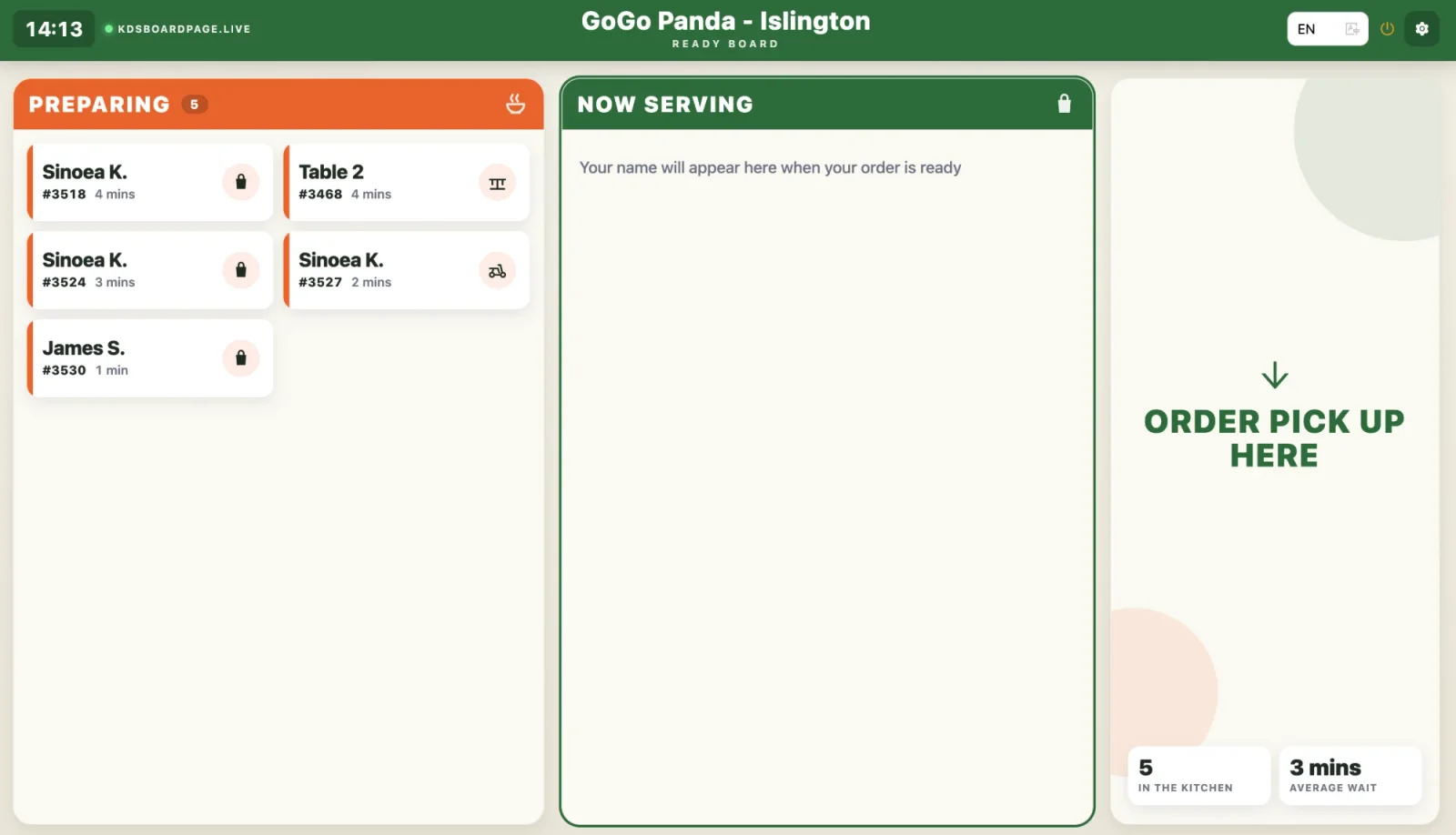
As soon as the kitchen accepts an order it appears under Preparing with the customer’s name, order number and minutes waiting. Collection, delivery and table orders each carry their own icon.
- Name and order number only, for privacy
- Minutes waiting per order
- Collection, delivery and eat-in icons
Bumped in the kitchen, called on the board
When the last station bumps the ticket, the name moves to Now Serving with a Just ready badge and a chime. Orders with their last item on the pass show Ready soon so customers get to the counter in time.
- Just ready badge for the first minute
- Ready soon warning before the bump
- Optional chime and voice call-out
Plug in a screen, open a link
The board is a web page. Open it on any TV, monitor or tablet at the pick-up point, pick the location and language, and it stays in sync with the Kitchen Display System and EPOS.
- Any browser, no app to install
- Your name, colours and pick-up message
- Multiple languages, one tap to switch

Part of the EPOS add-on and the Online Ordering + EPOS bundle, per location.
Part of one platform
Every Order Tiger product shares one menu, one customer list and one report.
What owners say after switching
Customers love ordering from our own app. We've noticed they're placing orders up to 3 times more often compared to those who order by calling us or walk-ins.

Our journey with Order Tiger has been nothing short of incredible. In just 5 months, it has accounted for a staggering 40% of our total sales.

Order Tiger increased our direct online sales by more than double through delivery from third-party fleet and have saved us a lot of money.

Frequently asked questions
What hardware do I need for the Order Ready Screen?
Any TV, monitor or tablet with a browser and internet access. Most restaurants use a wall-mounted TV with a cheap streaming stick or an old tablet on a stand.
Does it work without the Kitchen Display System?
It works best with it, because bumping a ticket is what moves an order to Now Serving. Without a kitchen screen, staff mark orders ready in the Order Manager App or on the EPOS instead.
Is customer data shown on the screen?
Only a first name with an initial, or a table number, plus the order number. No phone numbers, addresses or items are shown.
Can I change the pick-up message and colours?
Yes. The restaurant name, pick-up instructions, colours and language are set per location from the dashboard.
Can it call names out loud?
Yes. A chime plays when an order moves to Now Serving, and an optional voice call-out reads the name or order number.
See Order Ready Screen running on your own counter
Book a 15-minute demo. No pressure, no contract.