Local SEO for restaurants is how you win the minute between a hungry person typing "near me" and choosing where to eat. Google shows three restaurants in the map pack, based on how relevant, how close and how well known each one is. You can't move your building, but you can control the rest: a complete Google Business Profile, a fast website on your own domain, a menu Google can read, a steady flow of fresh reviews and the same details everywhere online. Do that, and point every "Order" and "Book" button to your own site, and local search turns into commission-free orders rather than marketplace traffic.
Key takeaways
- A local search is a short path: search → map pack → profile → menu → order. Most restaurants lose diners at one weak step, not at the ranking itself.
- Your Google Business Profile is a shop window you restock every week, not a form you fill in once.
- Every dish name on your menu is a search term, but only if the menu is real text on your own website, not a PDF or a photo.
- Reviews win on freshness. A review request after every order beats a big push once a year.
- If the "Order online" button on your Google profile goes to a marketplace, your local SEO is earning commission for someone else.
- AI assistants such as Google's AI Overviews and ChatGPT recommend restaurants using the same signals, so solid local SEO already does most of that work.
What local SEO means for a restaurant
Ordinary SEO is about getting a web page to rank for a topic. Local SEO is about getting a business to rank for a place. When someone searches "thai food near me", "sunday roast Islington" or "late night pizza delivery", Google isn't just looking for a good page. It is looking for a good restaurant that is nearby and open, and it answers with a map.
| General SEO | Local SEO | |
|---|---|---|
| What ranks | A web page | Your business, through its Google Business Profile and website |
| Typical search | "how to reheat pizza" | "pizza delivery near me" |
| Where you appear | The blue links | The map pack, Google Maps, the blue links and AI answers |
| What the searcher wants | Information | A meal, usually in the next hour |
| Who you compete with | The whole internet | A handful of restaurants within a mile or two |
That last row is the good news. You don't need to beat national chains or recipe sites. You need to look like the best choice compared with the few restaurants around you, at the moment somebody nearby is hungry.
How Google picks the three restaurants in the map pack
Google says local results are based on three things: relevance, distance and prominence. Distance is fixed by your address. The other two are where your effort goes.
| Signal | What Google reads | What you can do |
|---|---|---|
| Relevance | Your categories, description, menu, website text and what reviewers write about you | Choose precise categories, publish your menu as text and use the words diners search for |
| Distance | How far you are from the searcher, or from the area named in the search | Keep your address and pin accurate, and name the neighbourhoods you deliver to |
| Prominence | Review count and rating, mentions and links from other sites, how well your website performs | Collect reviews after every order, reply to them, keep listings consistent and earn local press |
There is a fourth, quieter factor: what people do next. If searchers tap your listing, request directions, call you and click through to order, you look like a good answer. If they bounce straight back to the results, you don't. That is why local SEO isn't only about getting seen. The rest of the path has to work too.
The 60-second path from "near me" to "order placed"
Think about what actually happens on a Friday evening. Someone opens Google Maps, types "burgers near me", glances at three listings, taps one, scrolls the photos, checks it is open, looks at the menu and either orders or goes back. The whole thing takes about a minute, and at each step you can lose them:
- The search. You don't appear at all because Google doesn't connect you with "burgers" or with this neighbourhood.
- The map pack. You appear, but with 3.9 stars from 40 reviews, next to a competitor with 4.6 from 900.
- The profile. The photos are from 2021, the hours say open when you are closed, and there is no menu.
- The menu. The "Menu" link opens a blurry PDF that takes ages to load on 4G.
- The order. The "Order online" button sends them to a marketplace, where they see ten competitors and you pay commission if they do choose you.
Most "we need better SEO" problems are really one weak step on this path. The seven moves below fix them in order, starting where Google starts.
1. Treat your Google Business Profile like a shop window
Your Google Business Profile is the single most important thing in local SEO for restaurants. It is free, and it is what diners see first in the map pack and on Maps. Claim and verify it, then treat it like a shop window you restock every week rather than a form you fill in once.
- Categories. Your primary category does the heavy lifting. "Neapolitan pizza restaurant" beats "Restaurant". Add secondary categories for what else you genuinely are, such as takeaway, delivery or bar.
- Attributes. Dine-in, takeaway, delivery, outdoor seating, vegan options, wheelchair access. Diners filter by these, and so does Google.
- Hours, including the awkward ones. Set bank holiday and special hours in advance. A diner who turns up to a closed door doesn't come back, and Google notices when people report wrong hours.
- Photos, little and often. Add a few new photos every week: a new special, the room on a busy night, the team. A steady stream of fresh images tells Google and diners that you are active.
- Posts. Use Google posts for this week's special, a new menu or an event. They take two minutes and keep the profile current.
- A description that sounds like you. Say what you serve, where and why it's different, in plain words: "Wood-fired Neapolitan pizza on Upper Street, Islington, with a 48-hour dough, vegan options and delivery across N1 and N7."
The button most restaurants get wrong. Google lets you set an order link and a reservation link. If those go to a marketplace, every customer you won with your local SEO is handed to a platform that charges you commission and shows them your competitors. Point them to your own ordering website and booking page instead. Order Tiger helps you add both to your Google profile, so the search result leads straight to your own menu.
2. Make your website the destination, not a brochure
The profile gets you noticed. Your website is where the decision is made, and Google reads the two together: a fast, credible site linked from your profile strengthens it, and a slow or broken one weakens it.
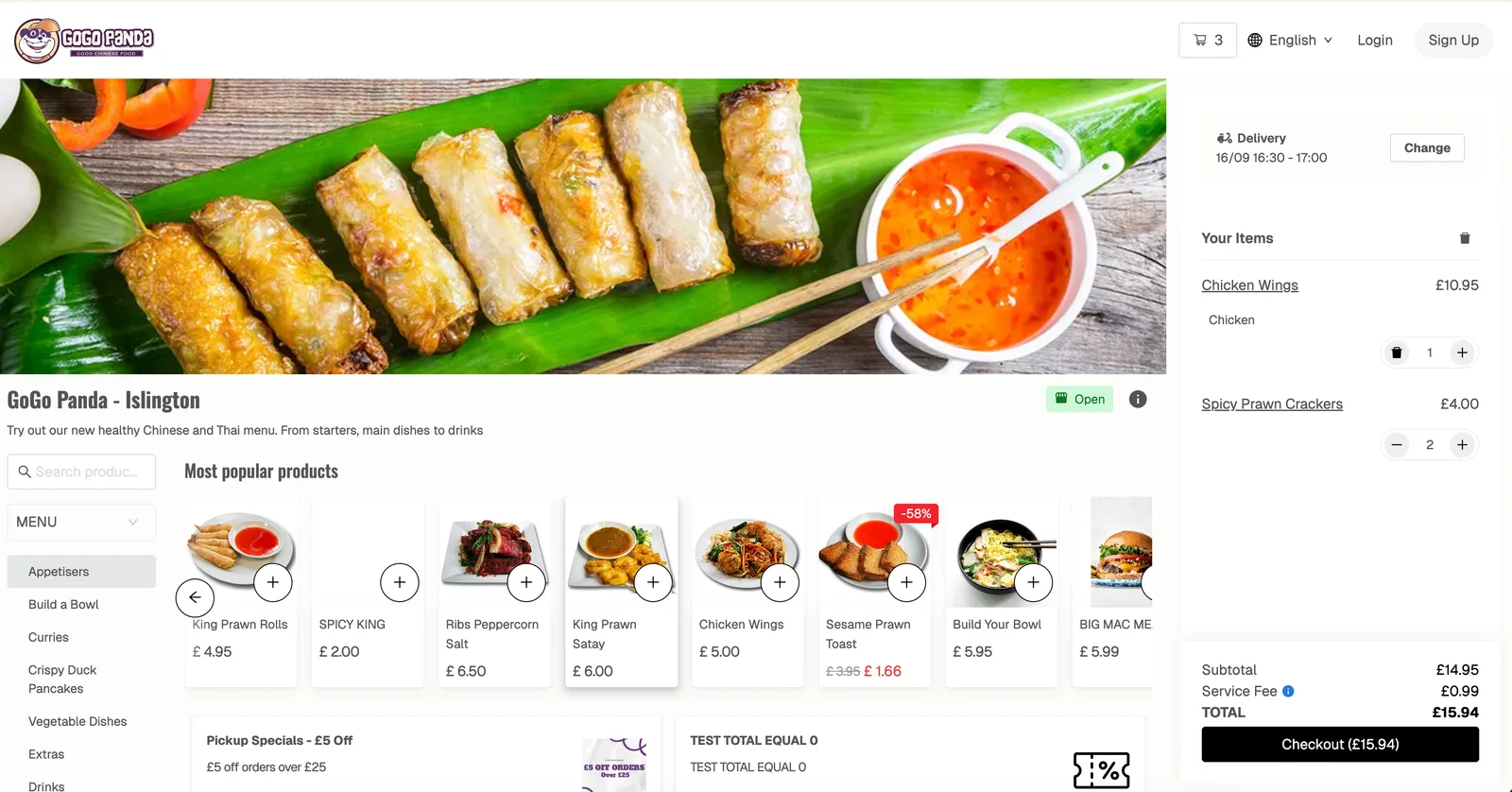
What a local SEO-friendly restaurant website needs:
- Your own domain. yourrestaurant.co.uk, not a page on someone else's platform. Every link, review and visit builds up your own address.
- Mobile first and fast. Nearly every "near me" search happens on a phone, often on mobile data. If the page takes more than a few seconds, the diner is gone.
- Name, address, phone number and hours on every page, in text, matching your Google profile exactly.
- Structured data. Restaurant and menu schema tells search engines (and AI assistants) what you serve, where and when, in a format they can read without guessing.
- Ordering on the site itself. Delivery, collection and table orders in the same basket, with Apple Pay and Google Pay, so the diner never has to leave.
Order Tiger builds this for you as part of onboarding: a mobile-first ordering website on your own domain, with a search-friendly structure and your menu indexed. If you already have a site you like, the ordering widget adds the same checkout with one line of code.
3. Turn your menu into your keyword list
Forget keyword tools for a moment. Your best keyword list is already written: it's your menu. "Birria tacos", "gluten-free pizza", "chicken katsu curry", "bottomless brunch" — each dish is something a local diner might search for. But Google can only match you to those searches if the dishes exist as text on your website and your profile.
That is why the PDF menu is the most expensive mistake in restaurant SEO. Search engines struggle to read a PDF or a photo of a menu, so all those dish names become invisible. Here is how to do it properly:
- Publish the menu as real text on your website, organised in clear categories.
- Write short, specific descriptions. "Slow-cooked beef shin, consommé for dipping, pickled onions, corn tortillas" beats "Tasty tacos". Mention ingredients, cooking methods and where things come from.
- Tag dietary options: vegan, vegetarian, gluten-free, halal, spicy. People search for these specifically.
- Keep prices and availability up to date. A dish that is sold out on the site but available in the restaurant is a lost order. One that shows on Google but no longer exists is a disappointed customer.
- Add your menu to your Google profile as well, so dishes can show up in Maps searches.
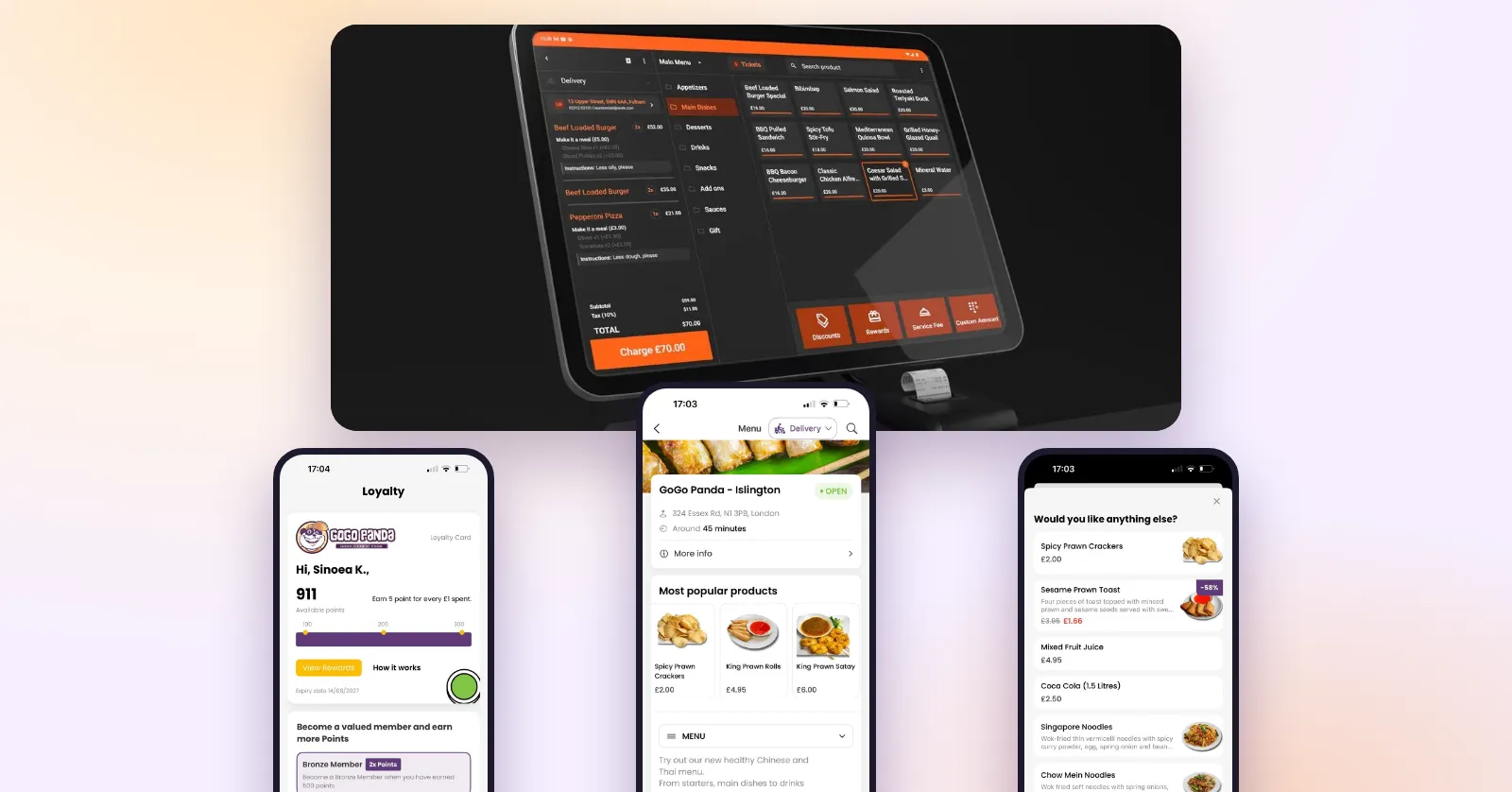
With Order Tiger there is one menu behind everything. Change a price, add a seasonal special or mark an item sold out in the dashboard, and your website, apps, QR table menu and kiosk all update in seconds. Our team sets up your menu, photos and modifiers for free when you join.
4. Write for the neighbourhood, not just the city
"Best Indian restaurant in London" is a fight you probably won't win. "Indian restaurant in Stoke Newington with delivery to Dalston" is one you can. Local searches are getting more specific, and the more precisely your website describes your area, the more of them you can match.
- Name your neighbourhood, not just your city, in your page title, homepage heading and About page.
- List the areas you deliver to. Your delivery zones are already a list of local search terms. Mention them in plain text on your site.
- Mention local landmarks where it's natural: "two minutes from the station", "opposite the park", "near the stadium on match days".
- One page per location. If you have more than one site, give each its own page and its own Google profile, with its own address, hours, phone number and photos. Don't share one page between three branches.
- Tell your story. An About page that explains who you are, where the recipes come from and why you're on this street is useful to diners and gives Google more relevant, local text.
- Answer real questions. A short FAQ (Do you have parking? Are you dog friendly? Do you deliver to Hackney?) catches long, specific searches and is exactly what AI assistants look for.
Keep it natural. Write for a hungry person, not for a search engine. Repeating "best pizza Leeds" ten times won't help, but a mouth-watering description that mentions where you are will.
5. Build a review engine, not a review campaign
Reviews are the biggest prominence signal you can influence, and they work on the diner as much as on Google. What matters is volume, rating, how recent they are, what they say and whether you reply. That last point is the one most often missed. A burst of reviews after a one-off campaign fades. A steady flow from every week of trading keeps working.
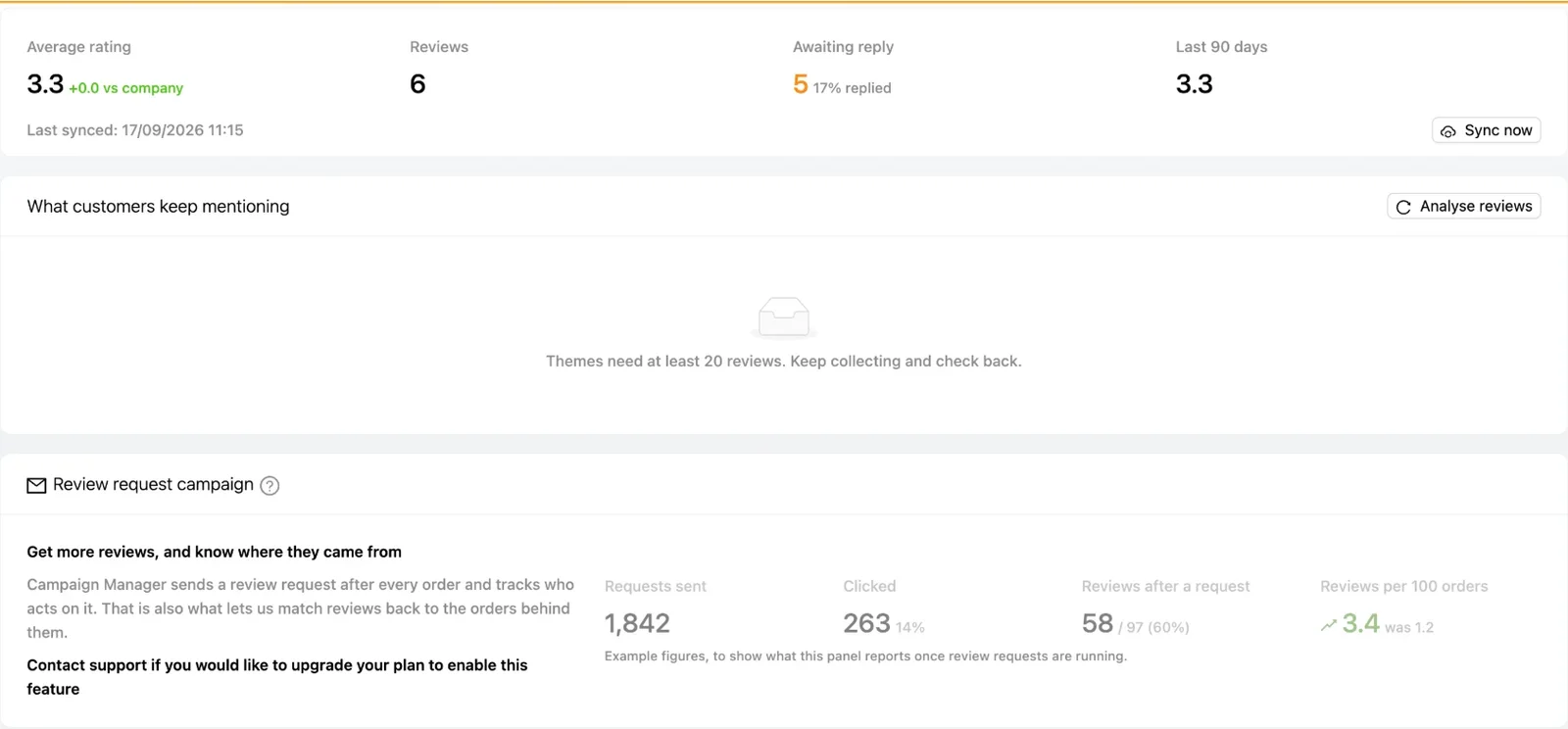
How to build the engine:
- Ask every customer, at the right moment. Order Tiger sends a review request automatically when an order is delivered or collected, in the app, by push or by email. The ask happens when the meal is fresh in their mind, without anyone on your team having to remember.
- Ask everyone, not just the happy ones. Google's rules don't allow you to filter who gets asked. That is fine: an honest stream of reviews from all your customers looks more trustworthy than a perfect score.
- Give unhappy customers an easy way to reach you. When someone can tell you about a problem straight away, you can fix it and often turn a complaint into a loyal customer.
- Reward the effort. Customers who leave a review can earn loyalty points, which also brings them back for another order.
- Track it. Watch reviews per 100 orders. If that number is climbing, the engine is working.
Reply to every review, on Google, from one place
Replies show diners that someone cares, and they give Google more fresh, relevant text about your restaurant. Order Tiger syncs your Google reviews into the dashboard, so you can reply to them without logging into Google, and the reply appears publicly under your business name.
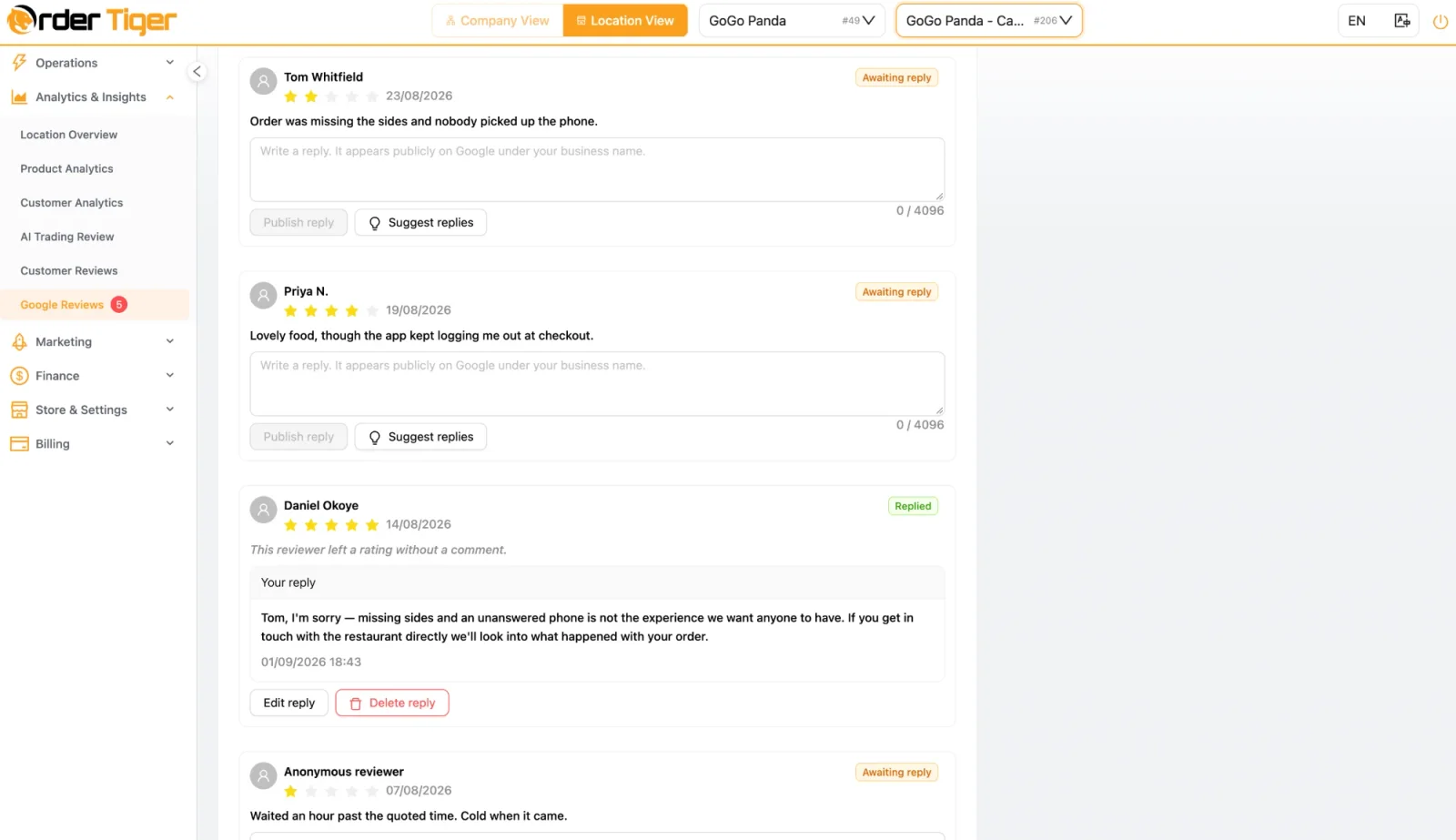
- Bad reviews first. Reply within a day, apologise for the specific problem, say what you've changed and invite them to get in touch. Future customers read your reply more closely than the complaint.
- Good reviews too. A short, personal thank-you that mentions the dish they loved. Don't paste the same line under every review.
- Use the help. Suggest replies drafts a response from the review text, so a busy manager only has to check and publish it. With multiple locations, every review arrives in one inbox and can be sent to the right site manager.
- Listen to the themes. Once you have enough reviews, the dashboard groups what customers keep mentioning, so "cold chips" or "friendly staff" stops being a hunch.
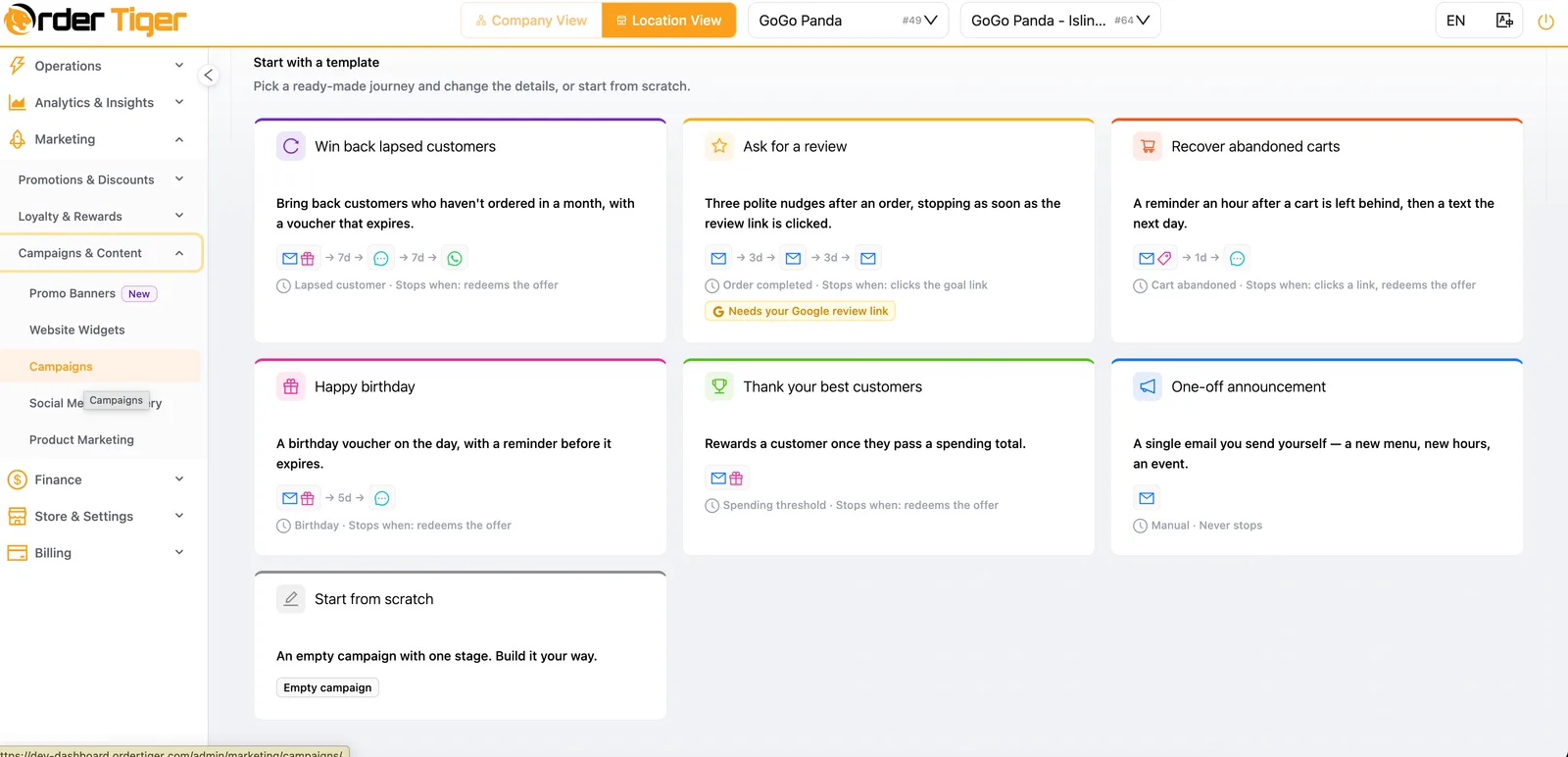
For more on making reviews part of a full follow-up journey, see how automated campaigns and customer analytics boost restaurant sales.
6. Keep your details identical everywhere
Google checks what it knows about you against the rest of the web. When your name, address and phone number (often shortened to NAP) match everywhere, Google trusts them. When one directory has your old phone number and another spells the street differently, that trust drops, and so does your ranking. Diners get caught out too: one call to a dead number and they've ordered somewhere else.
Set aside an hour and check each of these against your Google profile:
| Where | Why it matters | Check |
|---|---|---|
| Your own website | The source Google trusts most after your profile | Name, address, phone and hours in the footer and on the contact page |
| Apple Maps and Bing Places | iPhone users, Siri and many in-car systems use them | Claim both listings and copy your Google details exactly |
| Facebook and Instagram | Often the first place regulars look for opening hours | Address, hours and a link to your own ordering site, not a marketplace |
| Tripadvisor and Yelp | High-authority review sites that rank for your name | Claim them, fix the details and reply to reviews there too |
| Delivery marketplaces | They rank for your name and are often out of date | Same name, address and hours as everywhere else |
| Local directories and guides | Council listings, local food guides, business associations | Search your old phone number and old address to find forgotten listings |
Pick one exact version of your name and address ("Unit 3, 12 High Street" or "12 High Street, Unit 3", not both) and use it everywhere. Then add a reminder for every time something changes: a new phone number, a move or new opening hours means updating all of these on the same day.
7. Earn your place in the local conversation
The last part of prominence is how much the rest of your area talks about you. Links and mentions from local websites tell Google that you're a real, known part of the community. They also bring in customers directly.
- Local press and food bloggers. A new menu, a charity night, an anniversary or a dish nobody else in town makes is a story. Send it to local news sites and food writers with a few good photos.
- Neighbouring businesses. Team up with the cinema, the gym or the brewery next door: a meal deal before the film, a post-match offer, a shared event. Each one usually comes with a link and a mention.
- Community ties. Sponsor the youth football team, cater the school fair, join the local food festival. These earn links from club and event pages, which are exactly the local signals Google values.
- Social media that points home. Instagram, TikTok and Facebook don't directly lift your map ranking, but they create the buzz, searches for your name and photos that do. Always send followers to your own ordering site. Order Tiger's social media team can plan and post your content and add Google Business Profile posts on request.
For more ideas on turning followers into orders, read the 5 steps to turn your restaurant's social media into real sales.
Bonus: be the answer AI assistants give
More and more diners ask Google's AI Overviews, ChatGPT, Gemini or Perplexity where to eat: "a quiet Italian near Clapham Junction that's good for a birthday". These tools don't use a secret new set of rules. They read the same things as the map pack: your Google profile, your website, your reviews and what the rest of the web says about you.
So the restaurants that get recommended are the ones that are easiest to understand. A few things help most:
- Complete, consistent facts (move 6), so the AI is confident you exist, where you are and when you're open.
- Descriptive reviews that mention dishes and occasions ("perfect for a birthday", "best ramen in Leeds"). Asking every customer for a review produces more of these naturally.
- Text that answers questions, such as an FAQ about dietary options, parking, groups and delivery areas.
- Structured data on your website, so your menu, address and opening hours can be read reliably.
A worked example: fixing the leaks
To see why fixing the whole path matters more than chasing rankings, take an illustrative neighbourhood pizzeria. Its Google profile is seen 6,000 times a month in local searches. Some viewers tap through to the website or menu, some of those order, and each order is worth £24.
| Step | Before | After the seven moves |
|---|---|---|
| Profile views from local searches | 6,000 | 7,200 (+20%, better categories, menu text and fresh reviews) |
| Viewers who click to the menu or order | 4% → 240 | 6% → 432 (better photos, rating and description) |
| Visitors who place an order | 15% → 36 orders | 25% → 108 orders (fast site, text menu, one-tap checkout) |
| Where the order goes | Mostly a marketplace, with commission | Your own site, no commission, customer data kept |
| Monthly revenue from local search | £864 | £2,592 (3×) |
These figures are an example, not a promise. Your results depend on your area, your competition and your starting point. The lesson holds, though: the ranking improved by 20%, but revenue tripled, because the profile, website and checkout stopped losing people. And every one of those new customers is now on your own list, where loyalty and campaigns can bring them back without another search.
How to measure your local SEO
Rankings move up and down every day and differ from street to street, so don't judge your local SEO by one search on your own phone. Look at monthly trends across three places:
- Google Business Profile performance. Views, and whether they come from discovery searches ("sushi near me") or direct searches (your name). Growing discovery searches means new people are finding you. Also track website clicks, calls and direction requests.
- Google Search Console. The searches that bring people to your website, how often you appear and your click-through rate. Look for dish and neighbourhood terms starting to show up.
- Your Order Tiger dashboard. Where it really counts: orders, revenue and new customers. Add a tracking tag (UTM) to your Google profile's order link and connect Google Analytics, and you can see exactly how many orders came from your profile. The reviews dashboard shows your average rating, replies waiting and reviews per 100 orders.
Good signs to look for: discovery views rising month on month, more profile actions per view, a rating that holds or climbs with new reviews every week, and more first-time customers ordering direct. When visibility and direct orders grow together, your local SEO is doing its job.
A 15-minute weekly local SEO routine
Local SEO isn't a project you finish. It's a habit, and it doesn't take long once the basics are in place:
- Monday, 5 minutes: reviews. Reply to last week's reviews from the dashboard, starting with anything under four stars.
- Wednesday, 5 minutes: the shop window. Add two or three new photos and a Google post about this week's special. Check special hours for any holidays coming up.
- Friday, 5 minutes: the menu. Make sure new dishes, sold-out items and prices are correct. One change in the dashboard updates everything.
Once a month, check your profile performance and order numbers, and once a quarter, run the one-hour listings check from move 6. If even fifteen minutes a week is a stretch, the Marketing Accelerator team can manage your campaigns, social media and Google profile with you.
Frequently asked questions
What is local SEO for restaurants?
Local SEO for restaurants is the work of getting your restaurant to appear when people nearby search for somewhere to eat, in Google's map pack, on Google Maps, in "near me" searches and in AI answers. It covers your Google Business Profile, your website and menu, your reviews and the consistency of your details across the web.
How long does local SEO take to work for a restaurant?
Fixes to your Google profile, such as categories, hours, photos and order links, can affect what diners see within days. Ranking gains from reviews, menu content and local links usually build over two to three months. Treat it as a weekly habit rather than a one-off project.
Should my Google order button link to a delivery marketplace?
It is better to link it to your own ordering website. A marketplace link sends the customers your local SEO has won to a platform that charges commission and shows them competing restaurants. A direct link keeps the full value of the order and the customer's details, so you can bring them back.
Is a PDF menu bad for restaurant SEO?
Yes. Search engines struggle to read PDFs and images of menus, so your dish names don't help you appear in searches like "vegan burger near me". PDFs are also slow to open on phones. Publish your menu as text on your website and add it to your Google profile.
How many Google reviews does a restaurant need?
There is no magic number. What matters is having more recent reviews than the restaurants you compete with in your area, with a good rating and replies from you. Asking every customer after every order is the most reliable way to keep a steady flow.
Can Order Tiger help with local SEO?
Yes. Order Tiger builds a fast, mobile-first ordering website on your own domain with your menu indexed, connects ordering and booking links to your Google Business Profile, sends review requests after every order and lets you reply to Google reviews from the dashboard. The Marketing Accelerator and social media teams can manage campaigns, posts and your Google profile with you.